Share this article
How to Donate | Guide for Donors
4fund.com
Online donations have become one of the easiest ways to support people, causes and organisations around the world. On 4fund.com, you can make contributions using a variety of payment methods, and neither donors nor organisers are charged any compulsory fees.
Donating on 4fund.com – Summary
- Signing up is not required to make a donation.
- No mandatory fees are charged to donors or organisers. All funds raised go directly to the organiser or benefiting organisation of the campaign.
- Payments can be made in different currencies and are automatically converted to euros (EUR).
- Payments are highly secure – 4fund.com operates as a licensed payment services provider in the European Union.
- Available payment methods: Visa, Mastercard, Google Pay, Apple Pay, iDEAL, Bancontact, ZEN.COM, Revolut, N26, Skrill, MB Way and EPS.
- Donations can be one-time or recurring (monthly), depending on the fundraiser setting.
- Some fundraisers may include offers, auctions or support tiers.
How to make a donation
Donating on 4fund.com is quick, simple and, most importantly, secure.
As a licensed payment services provider in the European Union, the platform meets the highest standards for payment and data security. Payment and withdrawal security is handled by PayU, one of Europe’s leading online payment providers. In 2025 nearly €60 million was donated via 4fund.com (and zrzutka.pl).
You can support any fundraiser in just a few steps.
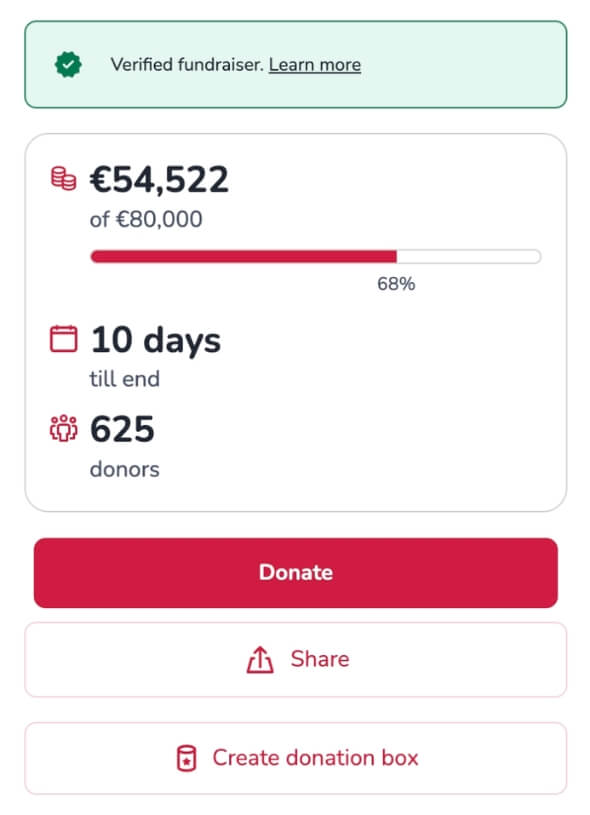
1. Open a fundraiser
Go to the fundraiser you want to support and click the “Donate” button.
2. Select your currency
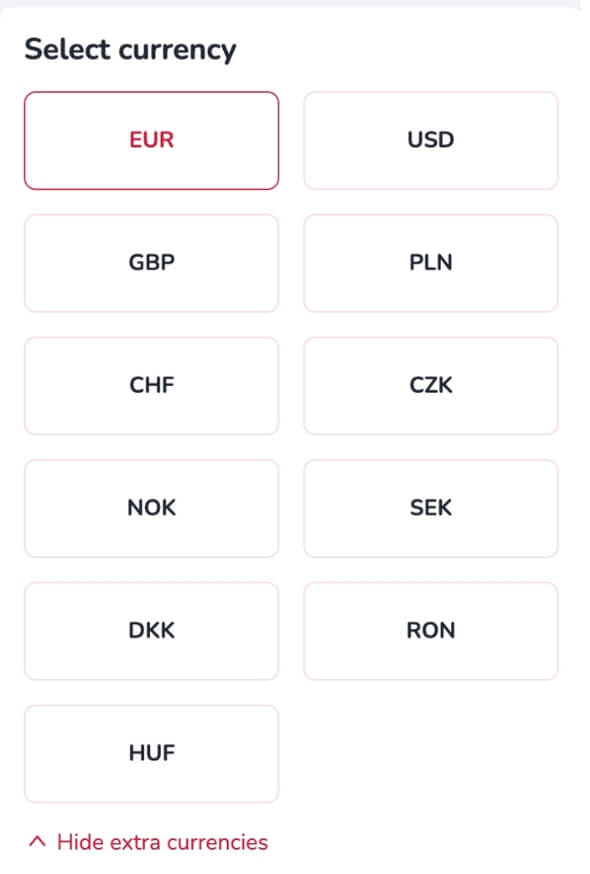
Choose the currency in which you would like to donate.
While you can support a fundraiser in your local currency, please note that all fundraisers are run in euros (EUR). Your donation will be automatically converted to euros during the payment process.
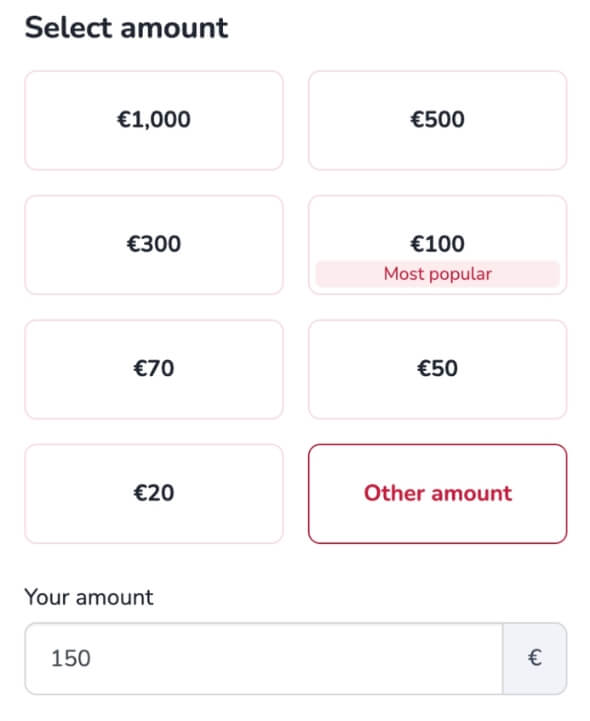
3. Choose your donation amount
Select one of the suggested amounts, or click “Other amount” to enter a custom value.
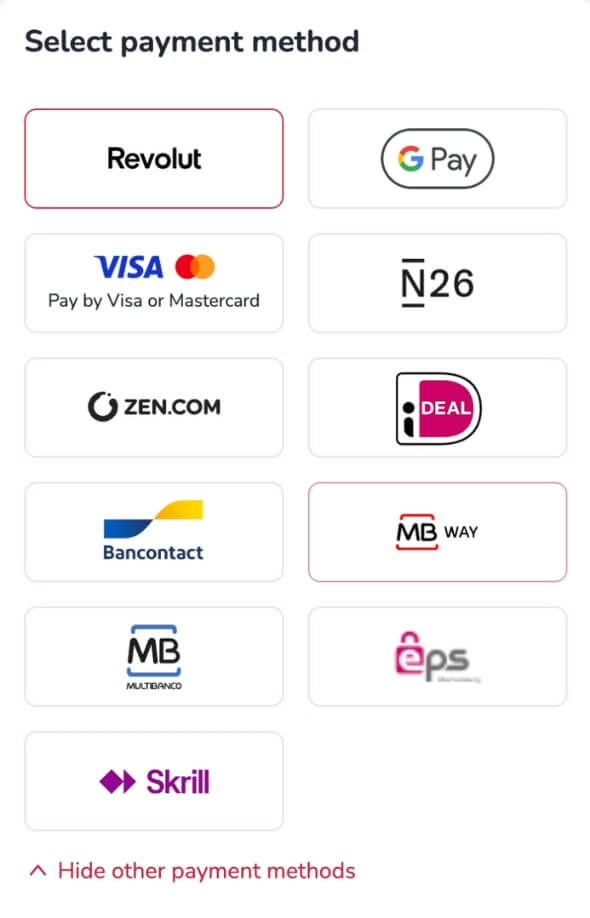
4. Select a payment method
Select your preferred payment method.
The available payment methods may vary depending on your country. These include Visa, Mastercard, Google Pay, Apple Pay, iDEAL, Bancontact, ZEN.COM, Revolut, N26, Skrill, MB Way and EPS.
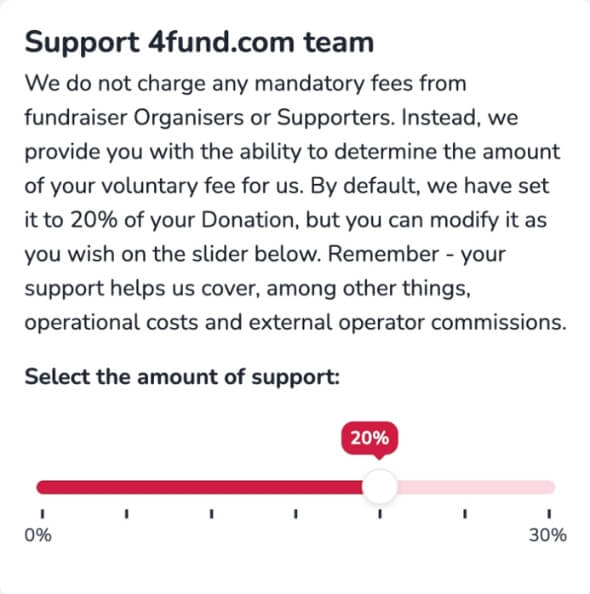
5. Support the 4fund.com team (optional)
4fund.com is free to use for both organisers and donors, with no mandatory fees.
If you’d like to support the platform and help keep fundraising accessible to everyone, you can make a voluntary contribution.
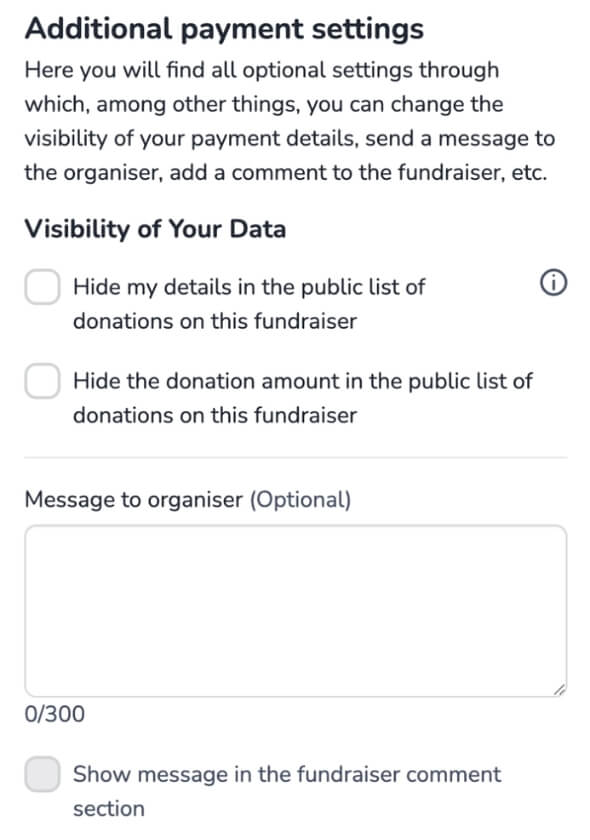
6. Adjust additional settings
Before completing your donation, you can customise a few details.
By default, your donation will be visible on the fundraiser page, but you can choose to:
- hide your donation from the public list
- hide the donation amount
- add a message to the organiser
- choose whether your message should be public in the comment section
Remember that, although your donation can be anonymous to other users, the organiser will still see your email address and the name you provided.
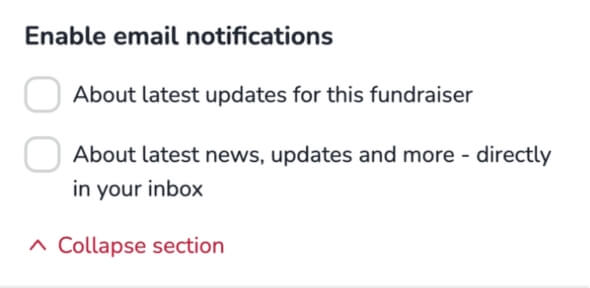
7. Choose whether you want updates
Decide whether you would like to stay informed. You can choose to:
- receive updates about the fundraiser
- receive platform news and updates (newsletter)
8. Enter your details
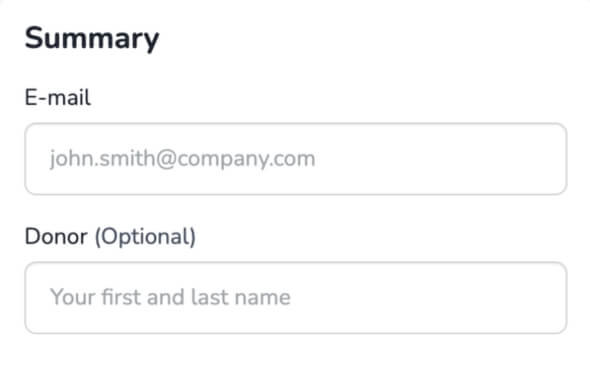
Enter your email address to continue. Then enter the name you would like to appear alongside your donation in the “Donator” field.
If you are logged in, these fields will be filled in automatically using your account details. In some cases, this step may not appear – for example, when using Apple Pay or Google Pay, your email address will be taken from your account.
9. Review and complete your donation
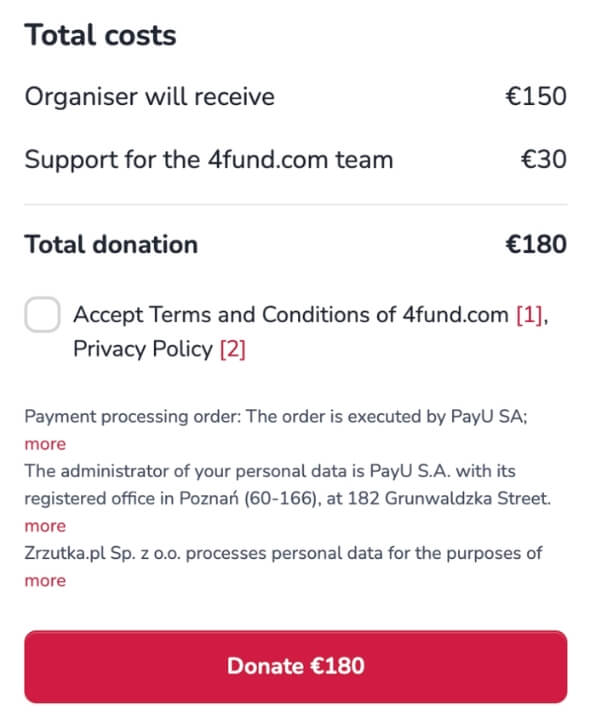
Before completing your payment, you will see a summary of your donation at the bottom of the page.
To continue:
- accept the required terms and policies
- click the “Donate” button
Then follow the payment instructions to confirm your donation.
10. Share the fundraiser
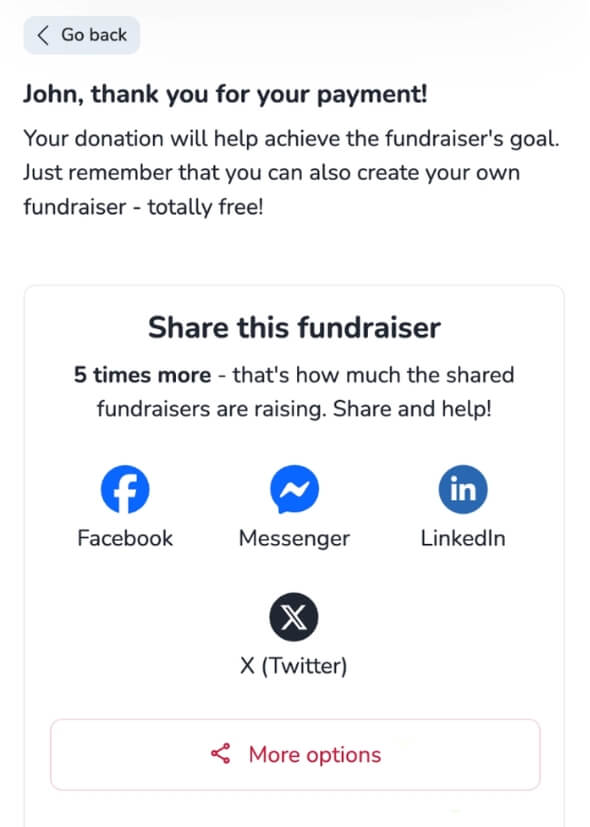
Once you have completed your donation, you will see a confirmation screen with options to share the fundraiser.
You can share it via social media (e.g. Facebook, Messenger, LinkedIn, X or WhatsApp) or copy the link. Sharing the fundraiser is one of the easiest ways to help the organiser reach their goal.
If you want to get more involved, you can also create your own donation box and collect donations from your community.
Making a monthly donation
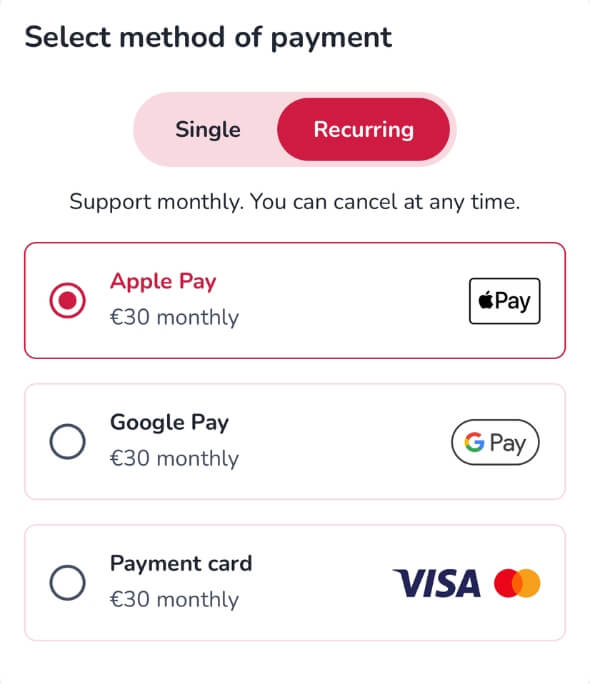
Some fundraisers on 4fund.com are designed to collect monthly donations rather than one-off contributions. In these cases, the donation page may look slightly different.
By default, the “Recurring” option may be selected, along with predefined monthly amounts. If you choose this option, your donation will be processed automatically each month. You can cancel your support at any time.
Some fundraisers also offer support tiers, where each donation amount is linked to specific benefits or rewards. You will be automatically assigned to a tier based on your selection.
Donating and receiving a reward
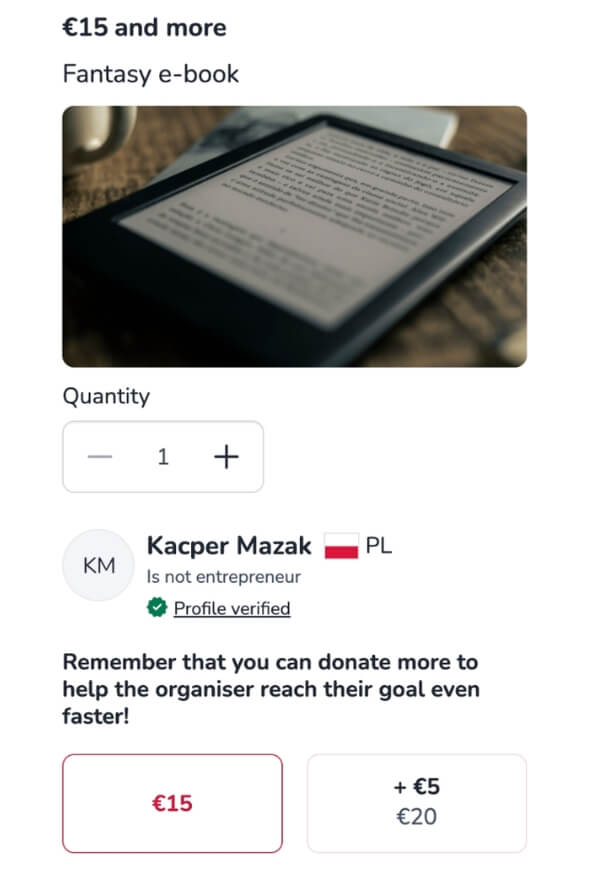
Some organisers add offers to their campaigns. These can include physical items, services or digital content, such as e-books or online access.
In this case, the donation page will look slightly different. Instead of simply selecting an amount, you can choose a specific offer linked to your donation.
If you select an offer, you may be asked to provide additional details, such as a shipping address for physical items. The organiser uses this information to deliver your reward.
Managing your donations
After donating, you will receive a payment confirmation email sent to the address you provided during checkout. If you want to access your donation details later, you can do so via your account.
To find your donation:
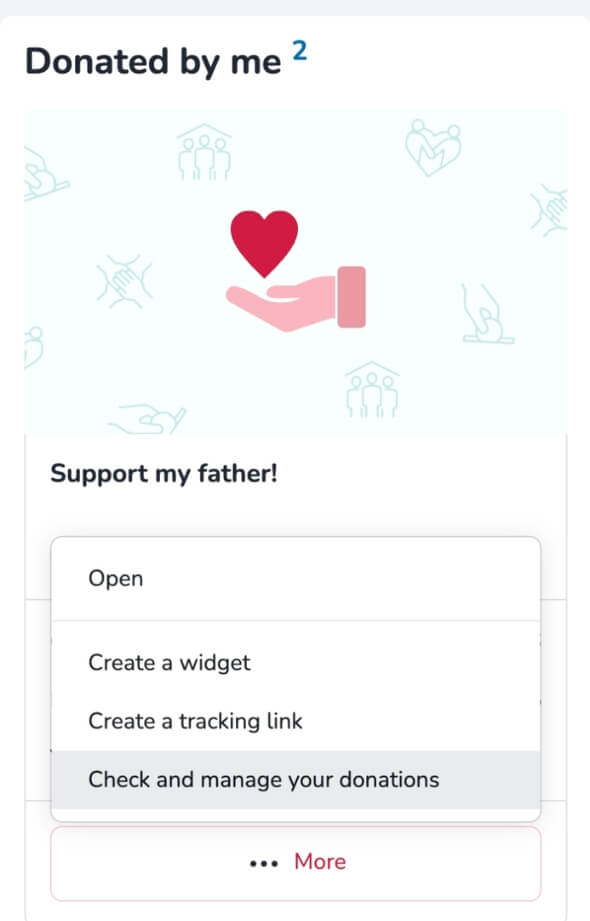
- go to “My fundraisers”
- open the “Donated by me” tab
- select the fundraiser you supported
- click “More” and “Check and manage your donations”
- go to “Donation details”
From there, you can download your confirmation as a PDF.
Donors frequently asked questions
If you still have questions about donating on 4fund.com, you may find the answers below. Here are the most common questions from our users.
Do I need an account to donate?
No, it is not necessary to create an account. A donation can be made using only an email address.
Can I donate in my local currency?
Yes. Donations can be made in different currencies and are automatically converted to euros (EUR).
Are there any fees when donating?
No mandatory fees are charged. Donors may choose to add a voluntary contribution to support the platform.
Can donations be made anonymously?
Yes. Donations can be hidden from the public list, but the organiser will still see the email address and the name provided.
Can I set up a monthly donation?
Yes. Some fundraisers support recurring (monthly) donations, which are charged automatically and can be cancelled at any time.
Do the funds always go directly to the fundraising organiser?
Yes. The exception is donating to fundraisers for organisations and donation boxes linked to a specific fundraiser, where funds are redirected accordingly.
Discover more practical tips and inspiring stories.