Are you looking for a way to support a fundraising campaign and get your community involved? With the donation box feature on 4fund.com, you can create your own personalised page linked to the main campaign. Share it with your family, friends or followers, and every donation you collect will be credited towards the total balance of the cause! Let’s begin team fundraising!
What is a donation box
The donation box on 4fund.com is like an online donation box that is linked to a main fundraiser. Rather than donating directly, you can create your own page where your community can contribute.
For example, employees of a company, a group of friends, members of a sports club, or a Discord server can set up a donation box to track the collective amount they raise.
The person who creates the donation box can customise the page with a title, description, URL address, and cover image. It is also possible to set a target amount and add a personalised thank-you message for people donating through the donation box.
Donation boxes created for the main fundraiser are visible on the donation page. There is no limit to the number of donation boxes that can be created for the main fundraiser, although the organisers of the fundraising campaign can disable the addition of donation boxes.
All funds collected in a donation box are automatically credited to the balance of the main fundraiser. The platform does not charge any fees!
How to create a donation box
Creating a donation box on 4fund.com is quick and simple. Follow these steps to set up your own personalised page and start collecting donations for a fundraiser.
Add a donation box
- Visit the fundraiser you want to support with a donation box
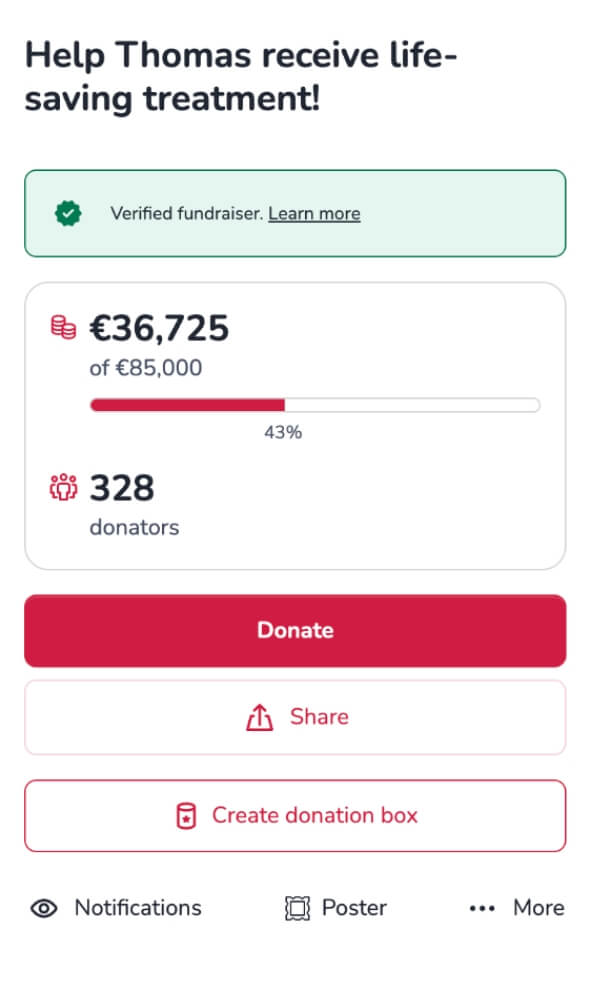
- Click the 'Create donation box' button located below the fundraiser summary.
Fill in your donation box details
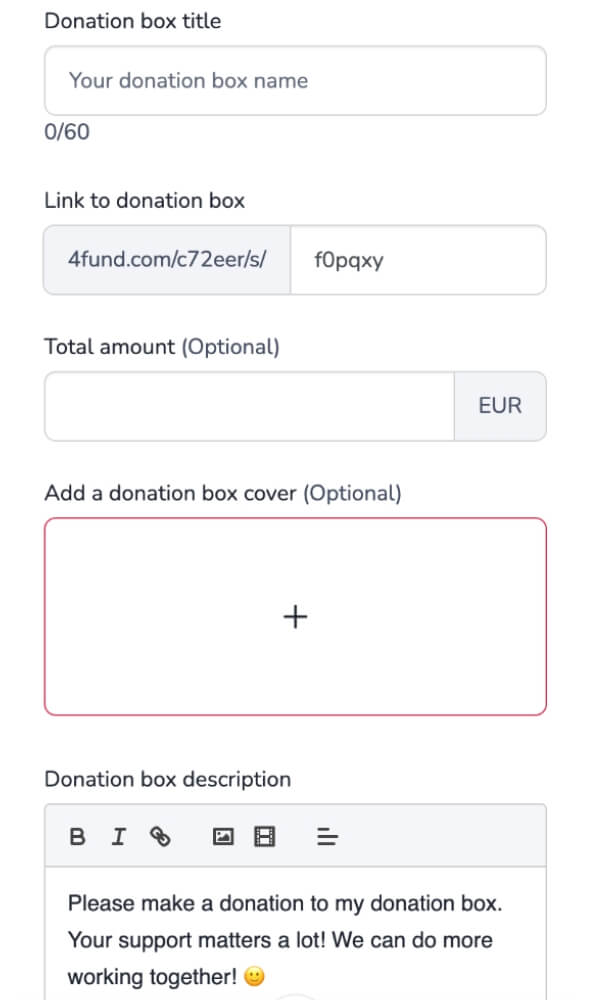
- Donation box title: Give your donation box a name that will be displayed on your page, e.g., “Michael and friends supporting the cause!”.
- Link to donation box: The URL is based on the main campaign’s address, but you can customise the last part, e.g., 4fund.com/main-fundraiser-title/s/michael-and-friends.
- Total amount (optional): Set a target amount for your donation box if you like.
- Add a donation box cover (optional): Upload a photo or image that will be shown with your donation box.
- Donation box description: Introduce yourself and explain why you are supporting this fundraiser through your donation box.
- Terms and conditions: Read and accept the donation box terms and conditions by ticking the checkbox.
- Notifications: Enable email notifications for new donations via your donation box (optional)
- Thank-you message: Add a personalised thank-you message for donors (optional)
- Finish: Click the 'Create donation box' button to set up your page.
Manage your donation box
Once created, your donation box can be shared via its unique URL address, QR code, poster, or embedded widget, helping you reach your community easily. It will also be visible on the fundraiser that is tied to, as well as online through search engines such as Google and Bing (unless the main fundraiser is set as private).
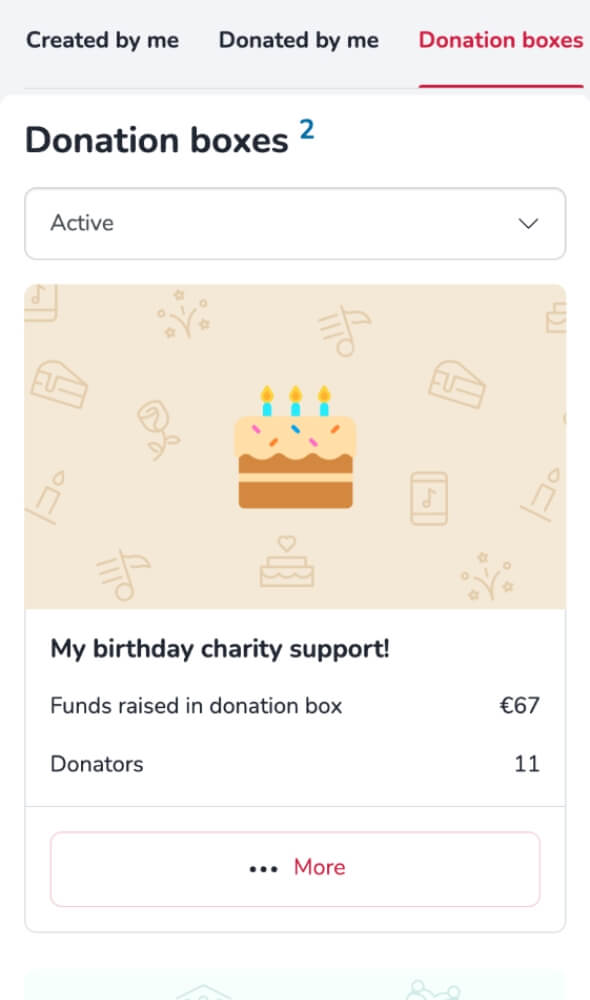
You will find all your donation boxes in the 'My Fundraisers' tab, where you can open, edit, disable or delete them.
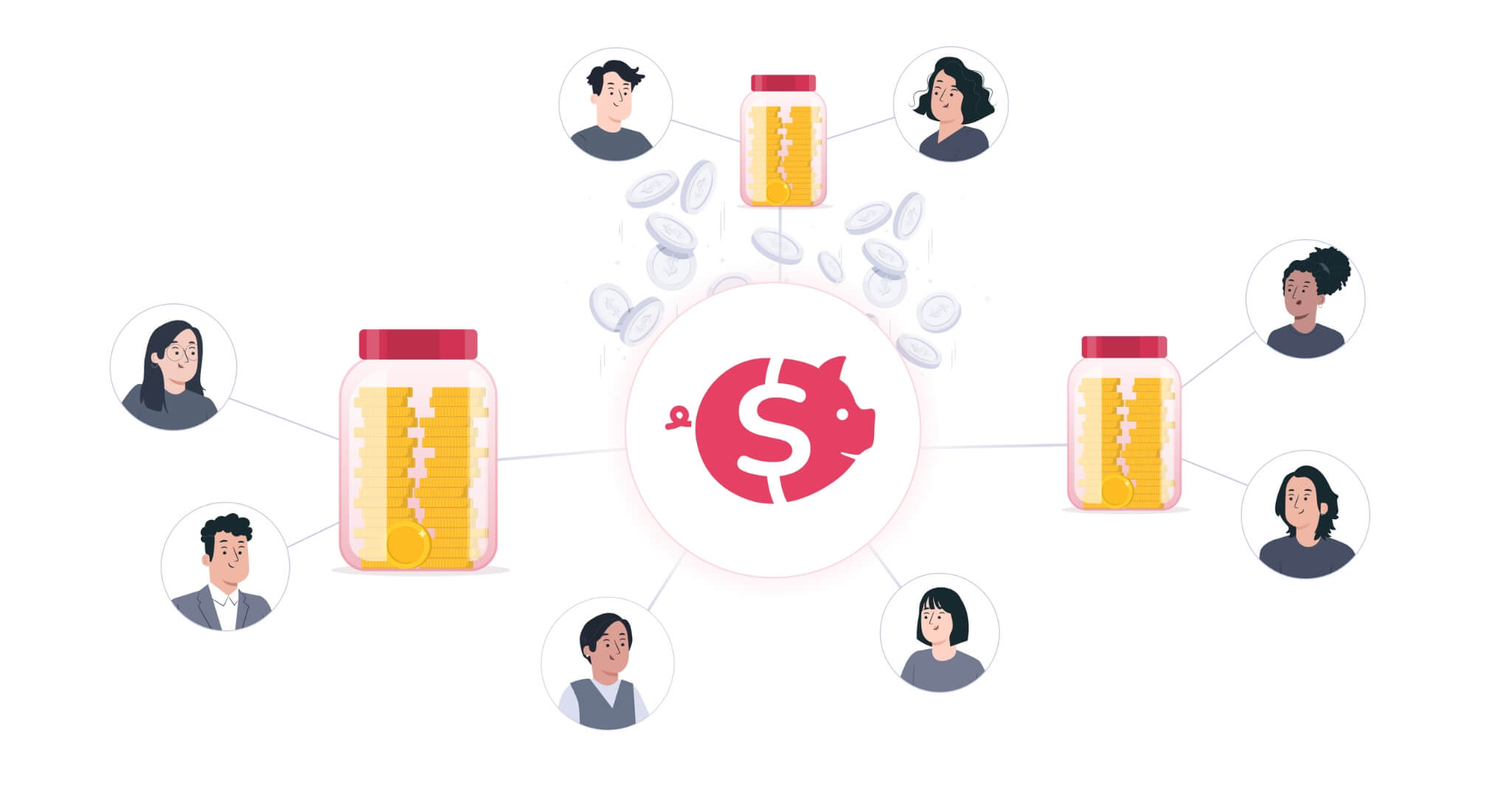
Team fundraising with a donation box
A donation box offers a flexible way to participate in team fundraising for a main campaign. As well as benefiting from their own supporters, the fundraiser organiser also benefits from the networks of everyone who creates a donation box.
Donation boxes can be used in many ways, from simply gathering donations from friends to running competitions. Ultimately, every donation box contributes to the same goal: supporting the main fundraiser.
Collecting with friends
A donation box lets you involve your friends in supporting a cause that matters to you. Think of it as gathering donations from your friends in one envelope, all bundled together with a special dedication written for the cause. By pooling contributions from your network, you make a tangible impact on the main fundraiser.
For the organiser, a donation box from your group highlights the support of an engaged network, providing extra encouragement and backing for the campaign.
Birthday donation box
Celebrate your birthday in a meaningful way by turning it into an opportunity to support a cause you care about. Friends, family, and colleagues can contribute to your donation box instead of giving traditional gifts, making a tangible impact on the main fundraiser.
This approach allows you to involve your community in a cause close to your heart, demonstrating how small contributions can collectively create a significant difference.
Influencers with their fanbase
Donation boxes are perfect for influencers or community leaders who want to support a cause and involve their audience. By creating a donation box, they can motivate their followers to contribute, track collective donations, and highlight the impact of their community.
Even a small fundraiser can gain significant momentum when an influencer shares their donation box, turning their network’s support into a meaningful contribution to the campaign.
Charity event
You can set up a donation box to support a cause that matters to you during an event such as a marathon or cycling tour. Organising or taking part in these kinds of activities gives you the chance to attract media and community attention.
Grab this spotlight to promote your donation box, boosting donations and contributing directly to the main fundraiser.
Competitive efforts
A donation box can also be used to create friendly competitions among groups, teams, or communities. For example, different departments in a company or local sports clubs can each set up their own donation box to see who can raise the most funds for the main campaign.
These competitive efforts not only increase the total donations but also encourage engagement and motivation, making fundraising fun for everyone involved.
Managing group contributions
Fundraiser organisers can create their own donation boxes to manage donations from different networks to their main fundraiser. Each money box acts as a separate collection point, making it easy to track contributions from specific teams, communities or supporter groups.
This approach gives organisers a clear overview of how funds are being raised across multiple channels, helping them to monitor progress, celebrate successes and optimise engagement strategies for the main fundraiser.
Peer-to-peer fundraising
Nonprofits can encourage their supporters to create donation boxes linked to their main campaign. This approach supports peer-to-peer fundraising, allowing volunteers to actively contribute to a specific project or cause.
By providing a structured way for supporters to create and share their own donation boxes, nonprofits can foster a sense of collective participation around a specific project or cause.
Learn more about a fundraiser on behalf of the organisation to explore how peer-to-peer fundraising can support a charity or nonprofit beyond donation boxes.
How to engage your community in fundraising
The first step to engaging your community is to share your donation box and tell your story. Explain why the cause is important to you and encourage your friends, family, colleagues and other groups to contribute. The better people understand your motivation, the more likely they are to support the campaign.
It is equally important to keep your community updated. Celebrate milestones, show your donation box's progress, and thank contributors along the way. Highlighting the impact of donations will keep people motivated and engaged throughout the campaign.
Finally, encourage groups and networks to participate in your fundraising efforts. Encourage teams, clubs or colleagues to create their own donation boxes and participate in friendly competitions. This collective approach drives more donations and builds a sense of shared achievement and excitement around the cause.
Donation Box – Key Features
- Easy to set up: Create a donation box quickly for any main fundraiser. No verification is required if supporting someone else’s campaign. No fees is charged!
- Customisable pages: Add a title, description, cover image, personalised link, target amount, and a thank-you message for donors.
- Flexible sharing options: Share your donation box via a unique link, QR code, poster, or embedded widget.
- Visible impact: Every donation box contributes to the main fundraiser, showing organisers how each community or team supports their cause.
- Supports team fundraising: Encourage groups, clubs, or communities to create their own donation boxes, boosting engagement and collective contributions.
- Peer-to-peer support: Individuals can fundraise on behalf of charities or nonprofits, linking their donation box to larger campaigns.
- Encourages competitions: Friendly challenges between teams or groups can drive more donations and motivate supporters.
- List of donations: Each donation box keeps a separate, easily accessible record of contributors, allowing organisers to track and thank supporters efficiently.